Local SEO for Restaurants: How to Get Found on Google (2026)
Most guides stop at Google Business Profile. That's step one of five. Here's the full loop — rank on Google, convert the click into a booking, capture walk-ins, automate the review ask, and track the one metric that actually matters for your restaurant.
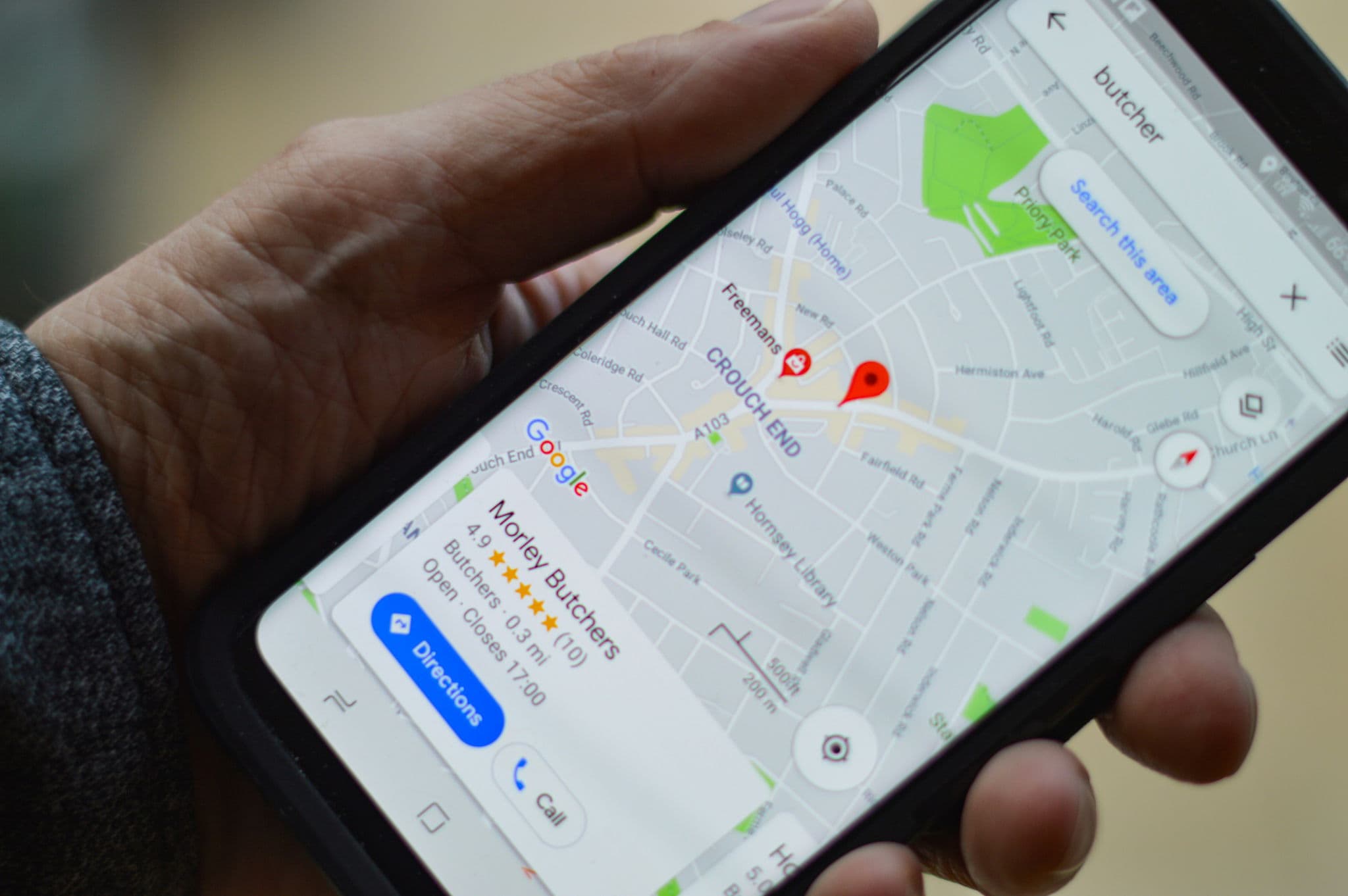
Someone pulls out their phone two streets away from your restaurant. They type "Thai food near me." Three results show up in the map pack, and they pick one in about eight seconds. That's the entire contest. Local SEO for restaurants is the work of making sure you're one of those three — and that once the diner taps in, everything after is easy enough that they actually show up.
Most guides on restaurant SEO stop after "optimise your Google Business Profile." That's step one of five. The rest — turning a ranking into a booking, a booking into a review, and that review into the next diner's ranking — is where most restaurants quietly lose ground.
Why local SEO for restaurants works differently
Restaurant search is unusually compressed. The diner is hungry, often already on the move, and deciding in minutes. Industry data on local restaurant search puts roughly nine out of ten of those searches on a phone, most of them within a few kilometres of where the diner is standing. That means two things.
First, the map pack (the top three results with the little red pins) is the whole battlefield. Ranking fourth on Google Maps is functionally the same as ranking fortieth — nobody scrolls. Second, the decision isn't made from a ranking alone. It's made from a ranking plus photos plus reviews plus whether the "Reserve a Table" button is there. You need to win both the search and the seconds right after.
That's why restaurant SEO can't be a flat checklist. It's a loop.
The full loop, not just Google Business Profile
Here's the shape of it. A diner searches. They find you. They book or order or walk in. They have a good visit. They leave a review. That review helps the next diner find you higher on the next search.
Every step feeds the next one, and every step is where something usually breaks. The booking button is missing from your profile. Staff forget to ask for a review. Walk-ins leave no trace. The review that does come in is from 2022 and pulls your freshness score down.
The rest of this guide walks through the five steps in order — what to do, where most restaurants fall short, and what changes when you close the loop.
Step 1 — Get found: Google Business Profile done right
Your Google Business Profile is the foundation. It's what Google uses as the single source of truth about your restaurant, and it's also what the diner sees before they ever touch your website. Get this wrong and nothing downstream matters.
Primary category is the single biggest ranking factor. Pick the most specific one that matches your cuisine. A Thai restaurant categorised as "Asian Restaurant" will lose to one correctly categorised as "Thai Restaurant" every single time, because Google filters by the specific match first. Secondary categories handle the rest — add up to nine of them if they genuinely apply.
Your menu has to live inside the profile, in text. Not a PDF, not an image. AI Overviews and Google's AI-powered search results can't pull dish names, prices, or dietary tags out of an image. A restaurant with detailed, updated menu data in its profile will consistently surface for queries like "vegetarian pad thai near me" that a restaurant with a PDF link never touches.
Attributes do real work now. Outdoor seating, halal, vegan options, wheelchair access, reservations accepted — these aren't vanity checkboxes. When a diner filters for "restaurants with outdoor seating," Google reads attributes before anything else. Leave them blank and you're excluded from the filter.
Photos are ranking signals, not decoration. Interior, exterior, food, team. Upload regularly — new photos tell Google the profile is active. Aim for one fresh batch a month at minimum.
Review recency matters more than review count. A restaurant with 50 reviews from the last six months will outrank a restaurant with 200 reviews spread over five years. Google wants signal that you're still open and still good. This matters enough that we've given it its own step below.
One thing to also get right: opening hours, special holiday hours, and your phone number. If any of these are wrong or inconsistent, Google's confidence in the rest of your listing drops.
Step 2 — Get them in the door: bookings, orders, walk-ins
Ranking is half the job. Once the diner is looking at your profile, they need a one-tap action — book, order, call, or get directions. If they have to hunt, they're already moving on.
This is where the "Reserve a Table" and "Order Online" action buttons on your Google Business Profile earn their weight. They show up right under your name. The diner never has to leave Google, and you never lose them in a click-through to a slow website.
If you use Oddle Reserve as your booking system, the Reserve with Google integration puts your booking form directly inside Google Search and Maps. The diner taps, picks a time, confirms. The booking lands in your host app without anyone visiting your website. Most reservation platforms either don't support this or make you pay extra for it — it comes built in with Reserve.
Make the reservation flow mobile-first. One tap. No account creation. No login walls. Every extra field is a drop-off point when someone's standing on a street corner.
Walk-ins are a blind spot. A guest who wandered in off the street is invisible to your Google Business Profile. Google only counts them if they left a review, and most walk-ins don't. If you don't capture them at the door, they don't feed anything back into the loop — not your email list, not your marketing, not your next review.
Enrolments is the capture layer for walk-ins. The guest taps an NFC chip or scans a QR code on the table and answers two or three useful questions ("Do you live nearby?", "How did you find us?") in under thirty seconds. That's all it takes to turn an anonymous walk-in into a known guest you can reach again — including to ask for a review later.
Step 3 — Turn visits into reviews (the step everyone skips)
Reviews are both a ranking factor and a conversion factor. Google weighs them heavily in the map pack, and the diner reading your profile is deciding whether to trust you. But here's the industry norm nobody says out loud: most restaurants have no system for asking. They rely on staff remembering, which happens maybe five percent of the time.
Velocity beats volume. Fifty reviews from the last six months carries more ranking weight than two hundred reviews from five years ago. What you want is a steady trickle of recent ones, not one big push in a month followed by silence.
The ask has to be automated, because willpower doesn't scale. A server at the end of a busy Friday service isn't going to remember to ask the guest at table eight. The ones who do remember don't want to feel pushy. Post-visit automation — triggered when the experience is fresh — outperforms in-person asks by a wide margin, and it runs without anyone remembering.
If you run Oddle, the Always-On Automations inside Oddle Marketing include In-Store Review Request and Online Order Review Request flows. They trigger off a confirmed reservation, a check-in through Enrolments, or a completed Oddle Shop order. They're enabled by default when you turn them on, and you don't write a single email — the templates work out of the box.
Reputation Builder, launching in the first half of 2026, goes one step further: it times the ask to when the guest was most likely satisfied (not all visits are equal), and it asks for feedback privately first before asking for a public review. So problems surface privately before they land on Google as a one-star.
Reply to the reviews you do get. Good and bad. Replies signal to Google that the profile is actively managed, and they signal to the next reader that a human runs this restaurant. Keep replies short, specific, warm. Don't paste templates.
Step 4 — Your website, your menu, your schema
Your website is where Google confirms who you are. Three things matter here, and none of them are fancy.
Name, address, phone — identical everywhere. Your Google Business Profile, your website footer, Yelp, TripAdvisor, OpenTable, your delivery platforms. If any of these disagree by a single character — "St." vs. "Street", "&" vs. "and" — Google loses confidence and your rankings wobble. A quick quarterly check is enough for most restaurants.
Schema markup does work your content alone can't. Add LocalBusiness and Restaurant structured data to your homepage. This is the machine-readable version of "here's who we are, where, when we're open, what we serve." It's what Google uses to build AI Overviews, rich snippets, and the panel that shows up on brand searches. Your developer or CMS probably supports this out of the box — if it doesn't, it's a one-hour fix.
Menu as HTML, not a PDF. Same reason as the Google Business Profile menu: Google can't read the PDF. If your menu is only available as a downloadable file, half your long-tail search potential (specific dish queries) is invisible.
Mobile speed. A restaurant site that takes more than three seconds to load on mobile loses most of the traffic your profile worked hard to earn. Compress images, use a light theme, cut the carousel. Restaurant websites don't need to be clever — they need to load.
We won't go deeper into technical restaurant SEO here because the above covers 80% of the impact for 5% of the effort. If you want the rest, focus on making sure your restaurant is listed consistently on the top five directories for your market and skip the long tail of obscure citation sites.
Step 5 — Track the one metric that matters
Most guides will hand you a list of twelve KPIs to watch. Most of them are noise. The single metric that matters is discovery-to-visit conversion: how many new diners found you through search and actually walked through the door.
Inside your Google Business Profile Insights, the numbers worth watching are direction requests, phone calls, website clicks, and booking button taps. Those are intent signals. Impressions alone are vanity — if you're getting 10,000 impressions and zero direction requests, your profile is being shown but not picked.
The harder question — how many of those clicks became actual diners — is where most restaurants go blind. Your till system doesn't know whether a Friday night cover came from Google, Instagram, or a regular. Customer Intelligence is what closes that gap for Oddle customers: it ties reservations, orders, walk-in enrolments, and visits back to a single guest profile, and it tells you which channels drove new guests versus returning ones.
Track review velocity monthly, not weekly. Weekly is noise. Monthly shows trend.
Paid: when Google Ads for restaurants earns its place
A quick word on paid, because "google ads for restaurants" comes up often. Paid ads are useful in specific moments: a new outlet opening, a private-dining launch, or an event-driven spike like Valentine's Day, Mother's Day, or a festive weekend. They're not a fix for weak organic.
If your Google Business Profile is underbuilt, paid just shortens the runway — you burn budget to get clicks that still bounce because the profile doesn't convert. Fix the foundation first. Paid is acceleration, not a substitute.
Frequently asked questions
How long does local SEO take for a restaurant to work?
Two to six months is typical for noticeable movement if you're starting from a neglected profile. Google Business Profile updates can show effect within days; review velocity and schema changes take weeks; directory consistency takes the longest because you're waiting on other sites to refresh. Faster results usually mean the baseline was low.
Is local SEO for restaurants worth doing in-house?
For a single outlet, yes. Most of the highest-impact work — category, menu, photos, review automation, action buttons — takes a few hours to set up and an hour a month to maintain. At three or more outlets, the coordination overhead starts to justify help, and the ROI on an agency or a dedicated tool is clearer.
What's the difference between restaurant SEO and local SEO for restaurants?
Restaurant SEO is the broader work — your website, blog content, national or category keywords, menu pages. Local SEO is the subset that drives the map pack and "near me" results: Google Business Profile, reviews, citations, and local schema. Local SEO is where most of the revenue lives for independent restaurants.
How often should I post on Google Business Profile?
Weekly if you genuinely have something to say (a new dish, a private dining slot, a seasonal menu). Monthly at minimum. Empty profiles rank worse than active ones. Don't post just to post — low-effort posts can hurt more than they help.
Does Reserve with Google help my ranking?
Yes, indirectly. Action buttons like "Reserve a Table" are conversion signals — Google sees diners taking action and treats your profile as high-intent. They also keep the diner inside Google's ecosystem, which the system rewards. Reserve with Google (available through Oddle Reserve) makes this one tap instead of a click-through.
The loop, closed
Local SEO for restaurants isn't a checklist. It's a visibility engine that compounds when every step feeds the next. Most advice stops at optimising your Google Business Profile. That's step one of five. The ones who pull ahead are the ones who also make booking frictionless, capture walk-ins, automate review asks, and actually know which searches turned into seated guests.
If you're starting this week, pick the weakest point in your loop and fix that first. If your profile is strong but you're not getting recent reviews, the problem is the ask, not the profile. If you're ranking but not converting, the problem is the action buttons, not the ranking. Pick one gap. Close it. Watch what happens to the next month of Maps traffic.
If you want the reservation and review side of that loop running automatically, Oddle Reserve is the entry point — it plugs into Google Search and Maps, feeds visits into Customer Intelligence, and triggers the review flows that keep your profile fresh. One connected system, running the loop with you.